Manufacturers use LeanDNA to save money by helping them reduce inventory.
One feature the product offers to accomplish this is called Inventory Actions – inventory reduction opportunities the application automatically identifies that are specific and actionable, like “cancel open purchase orders for this part.”
When I joined LeanDNA, one of the first things they asked was to improve Inventory Actions to increase engagement. In addition to changing the Inventory Actions UX, I designed changes across the application that resulted in comprehensive end-to-end workflow improvements that helped customers reduce inventory.
Opportunity
As the only designer, without a Product team (the product development team was all engineers), and with no background in supply chain management, I had a lot to learn if I was to figure out how to help manufacturers optimize their inventory to save money.
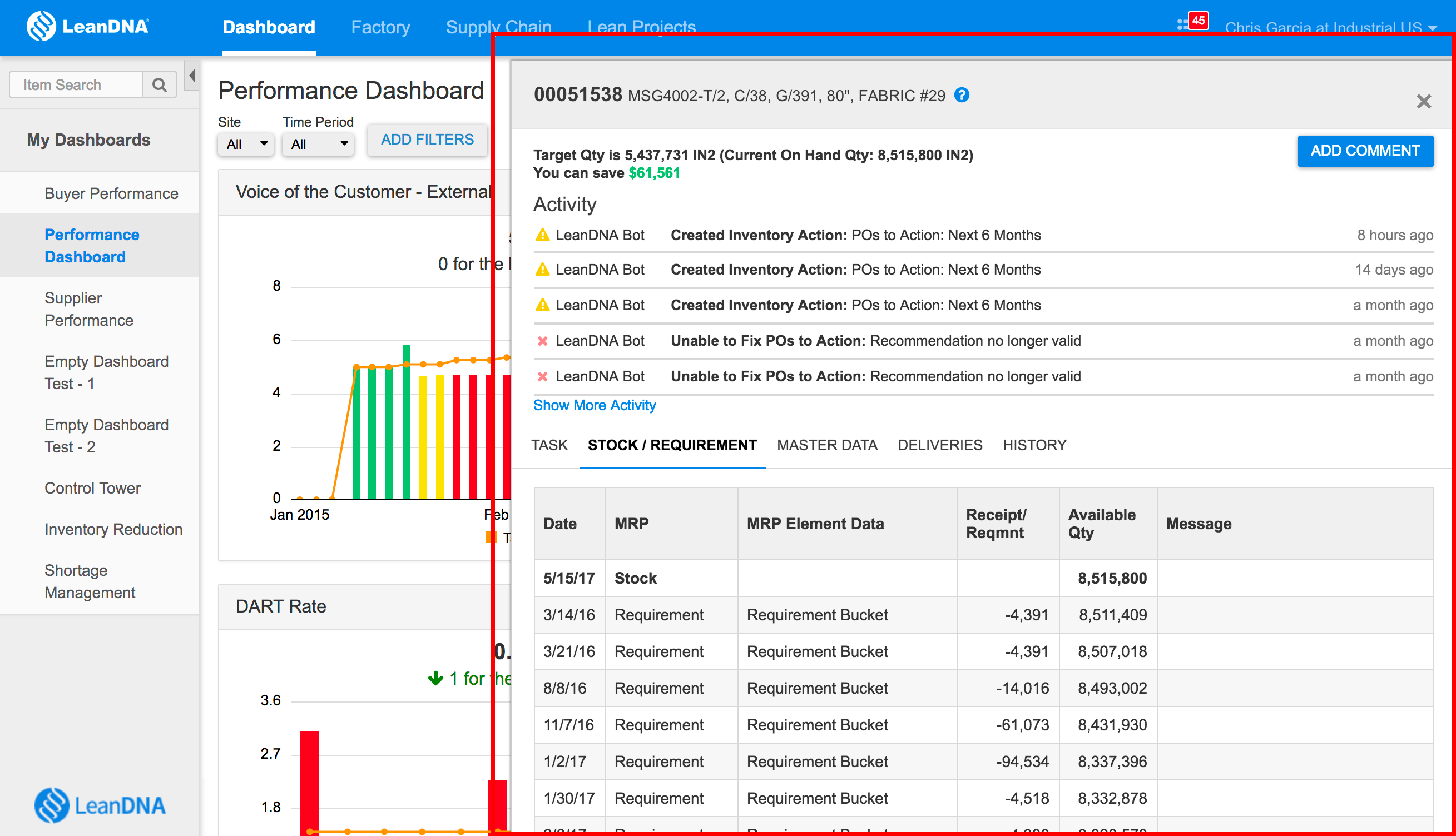
First, I evaluated the product to understand why Buyers, LeanDNA users responsible for purchasing parts, may not engage with Inventory Actions:
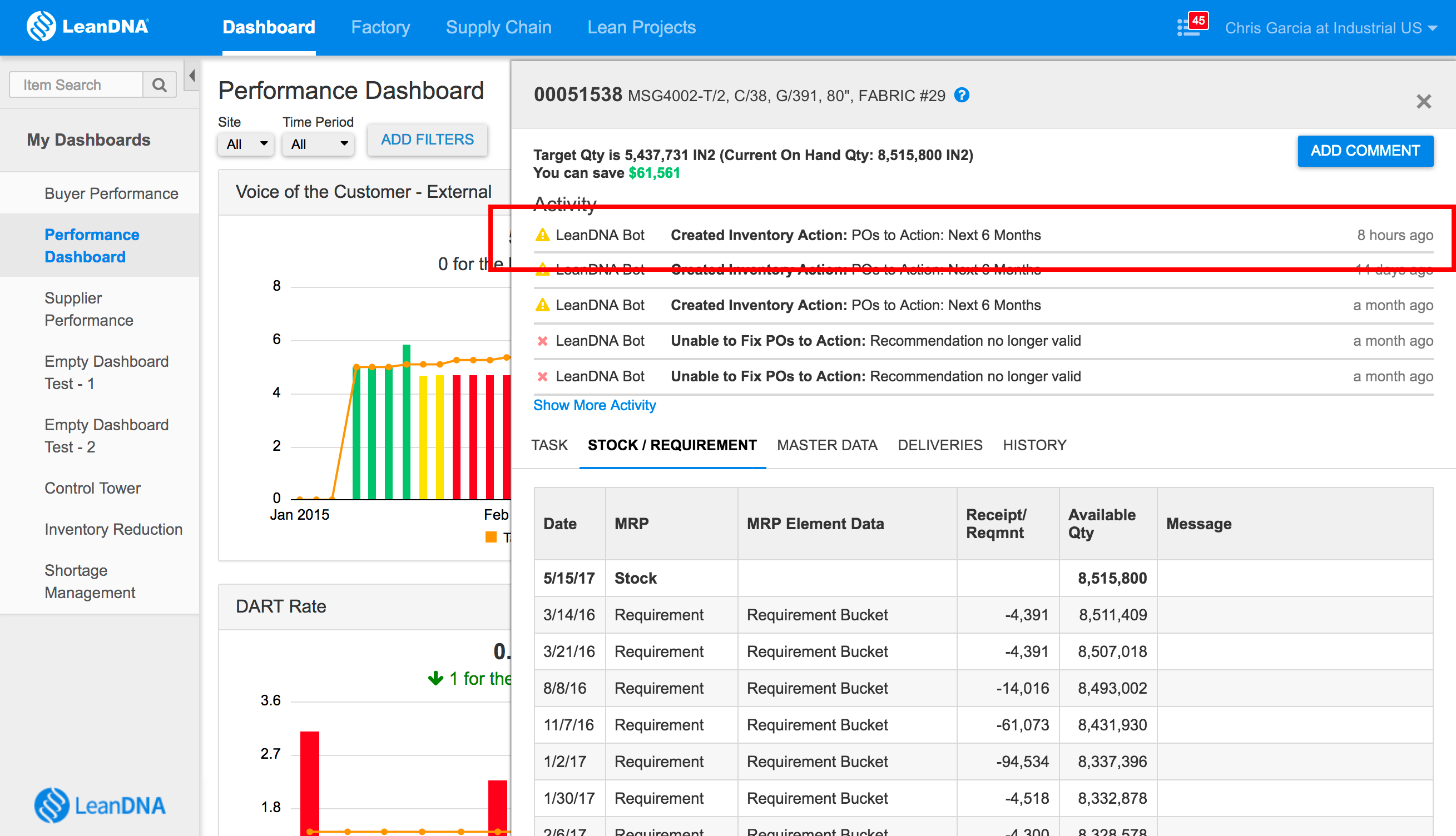
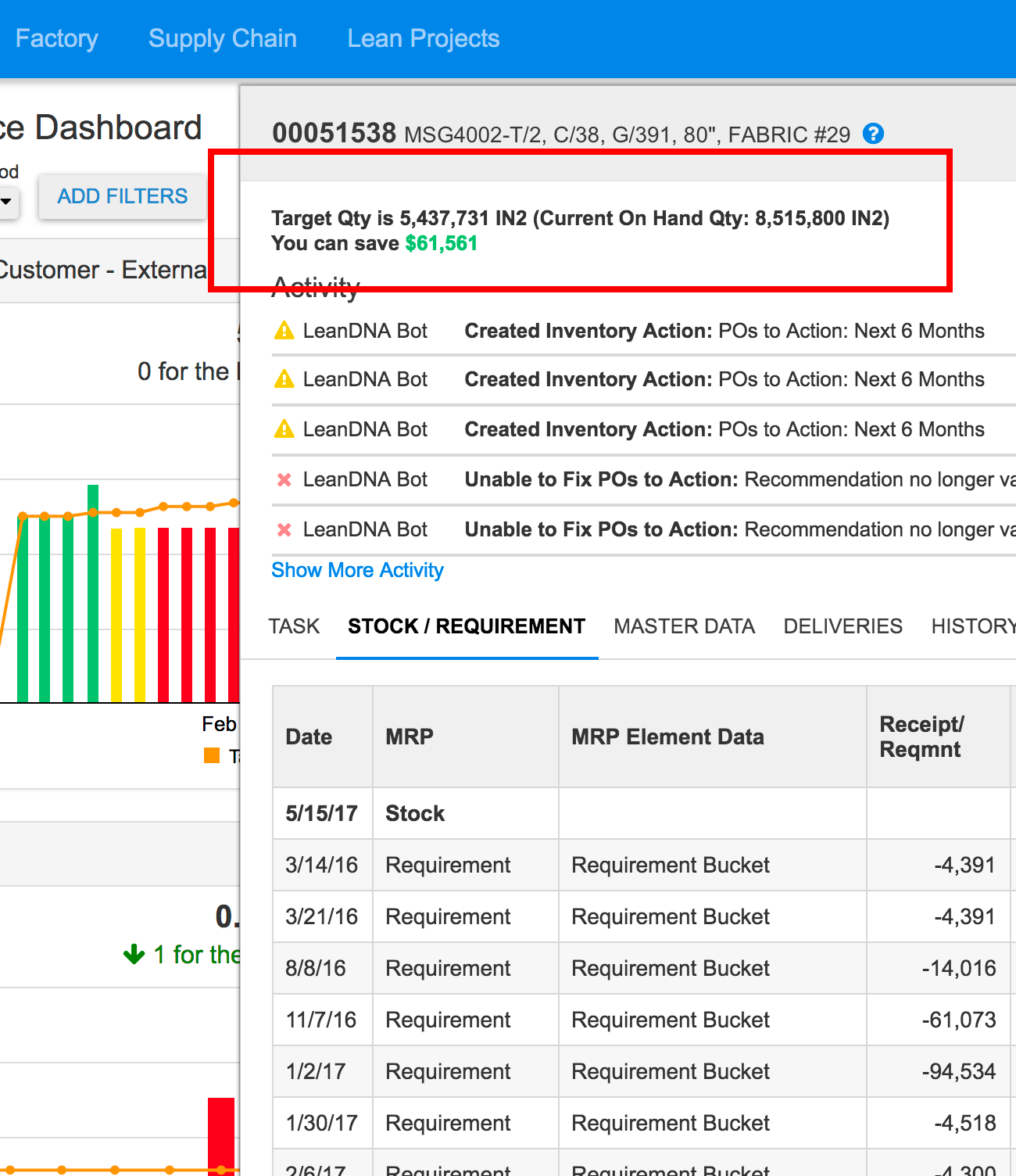
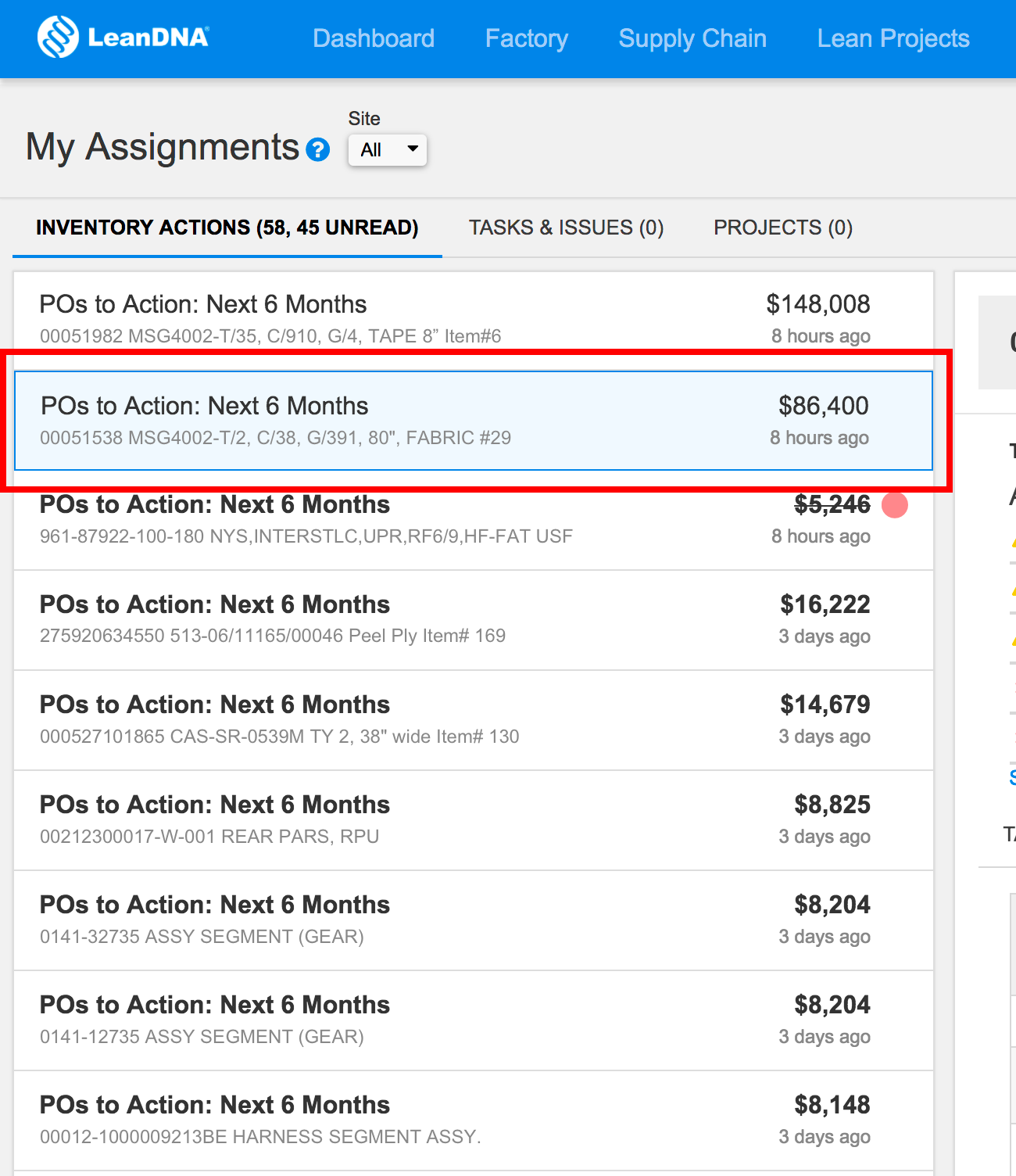
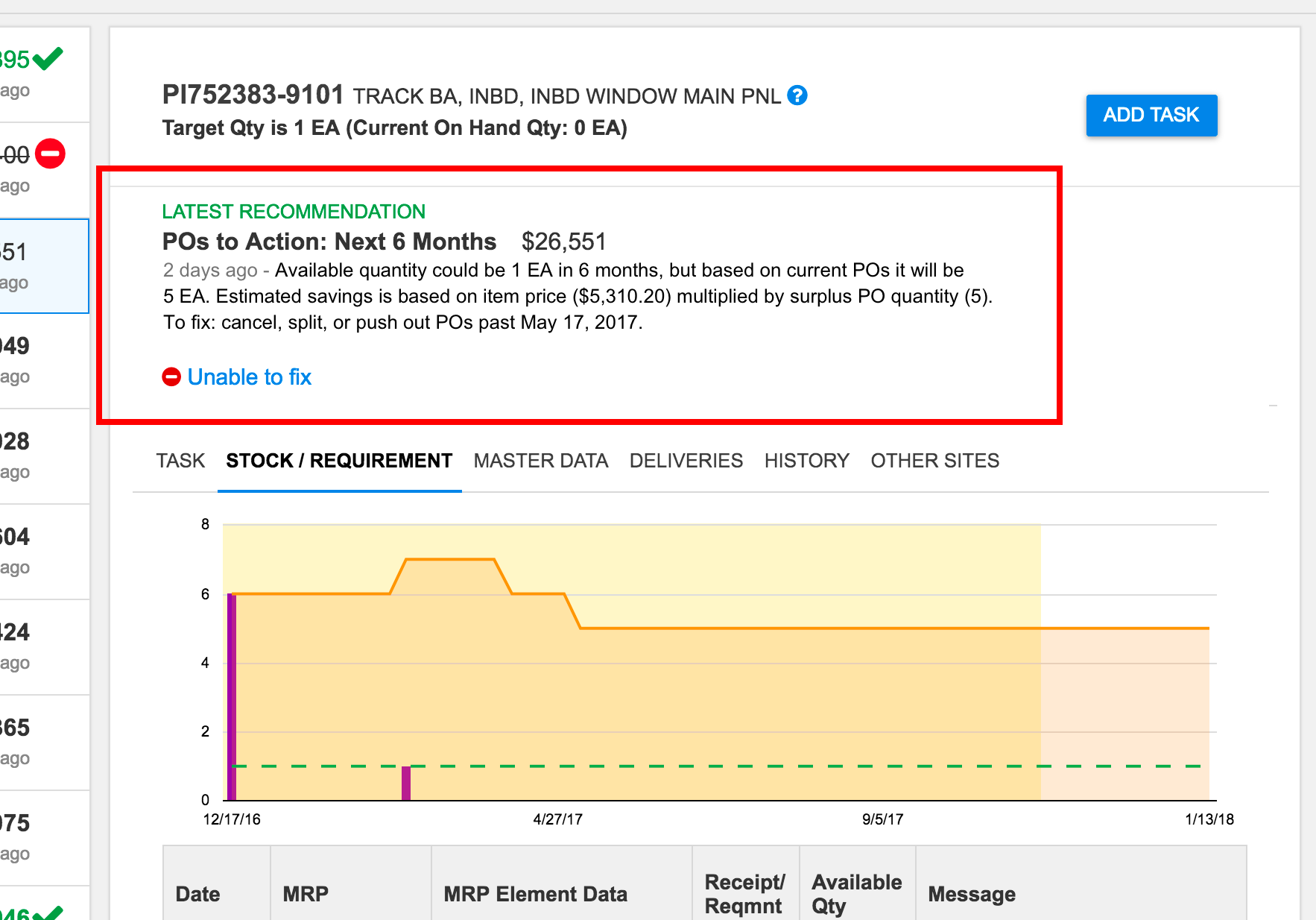
One of the primary interactions in LeanDNA is to view part information. When users click on a part number, item details are displayed in a side panel.This message isn’t an Inventory Action, it just means an Inventory Action was created for this part. Buyers must navigate to a different page (My Assignments) to view the Inventory Action, and a link was not provided for them to do so.The My Assignments page showed a different savings amount for a part than every other page. There was no indication how these values were calculated, why they were different, or what should be done to save this amount.
In addition to my personal evaluation, I also joined internal customer meetings, reviewed customer tickets, and spoke with customers directly to get an understanding of how they worked and interacted with Inventory Actions.
Next, I needed to define what “increase engagement” meant, as success metrics hadn’t yet been defined at the product or feature level.
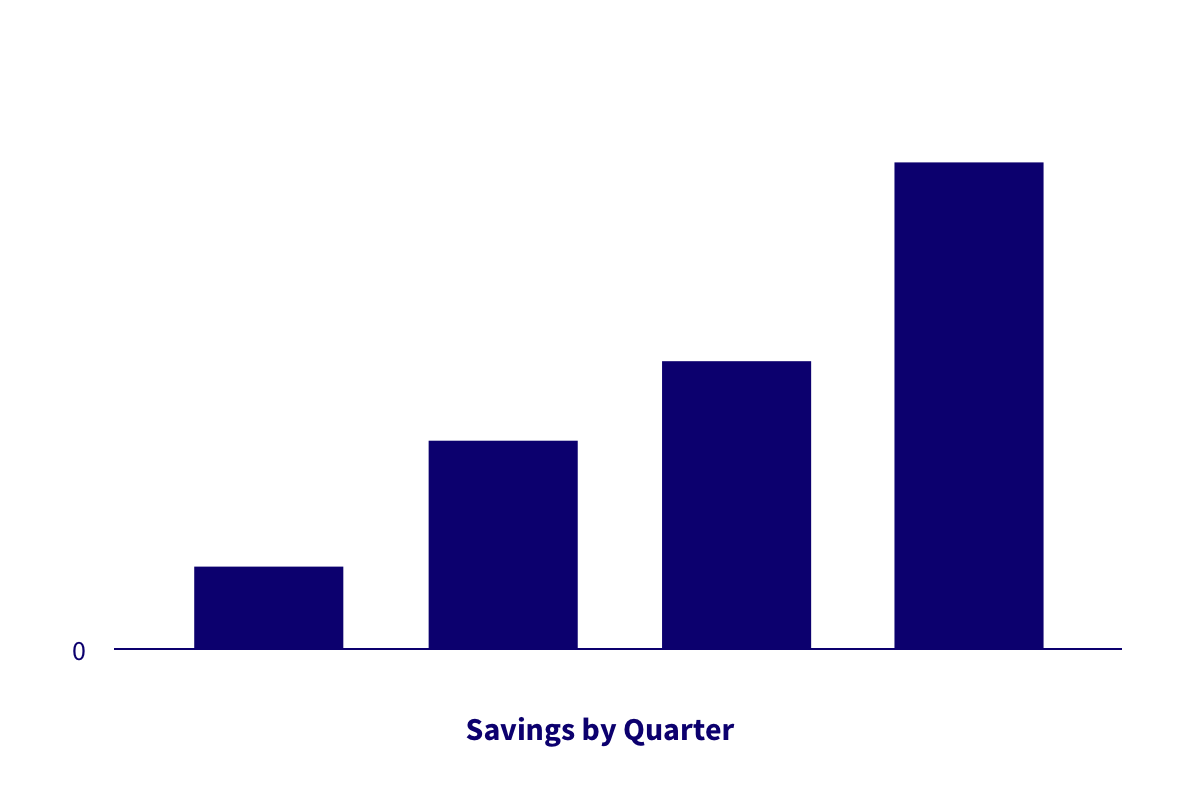
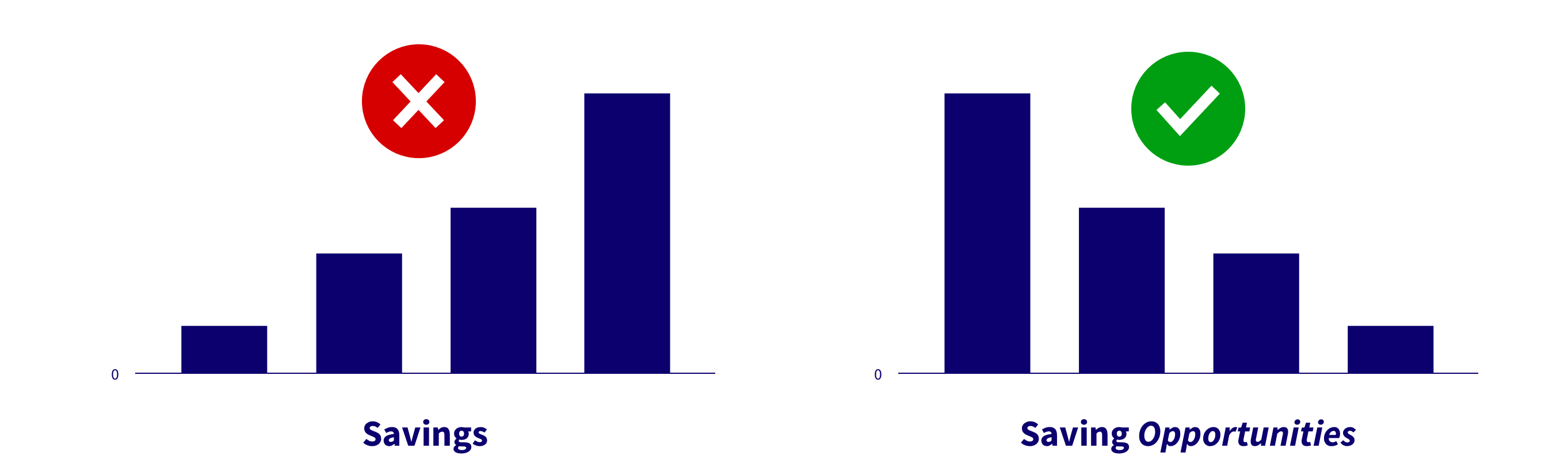
Since employers wanted to save money, I imagined an successful design would show our customers were saving more and more money (I explain why this is incorrect later):
Up-and-to-the-right model of success, where customers are saving more and more money as they use LeanDNA.
With my evaluation, user feedback, and a way to measure success, I had enough information to begin designing improvements.
Ideation, Iteration & Validation
My initial design addressed several of the issues that I’d identified:
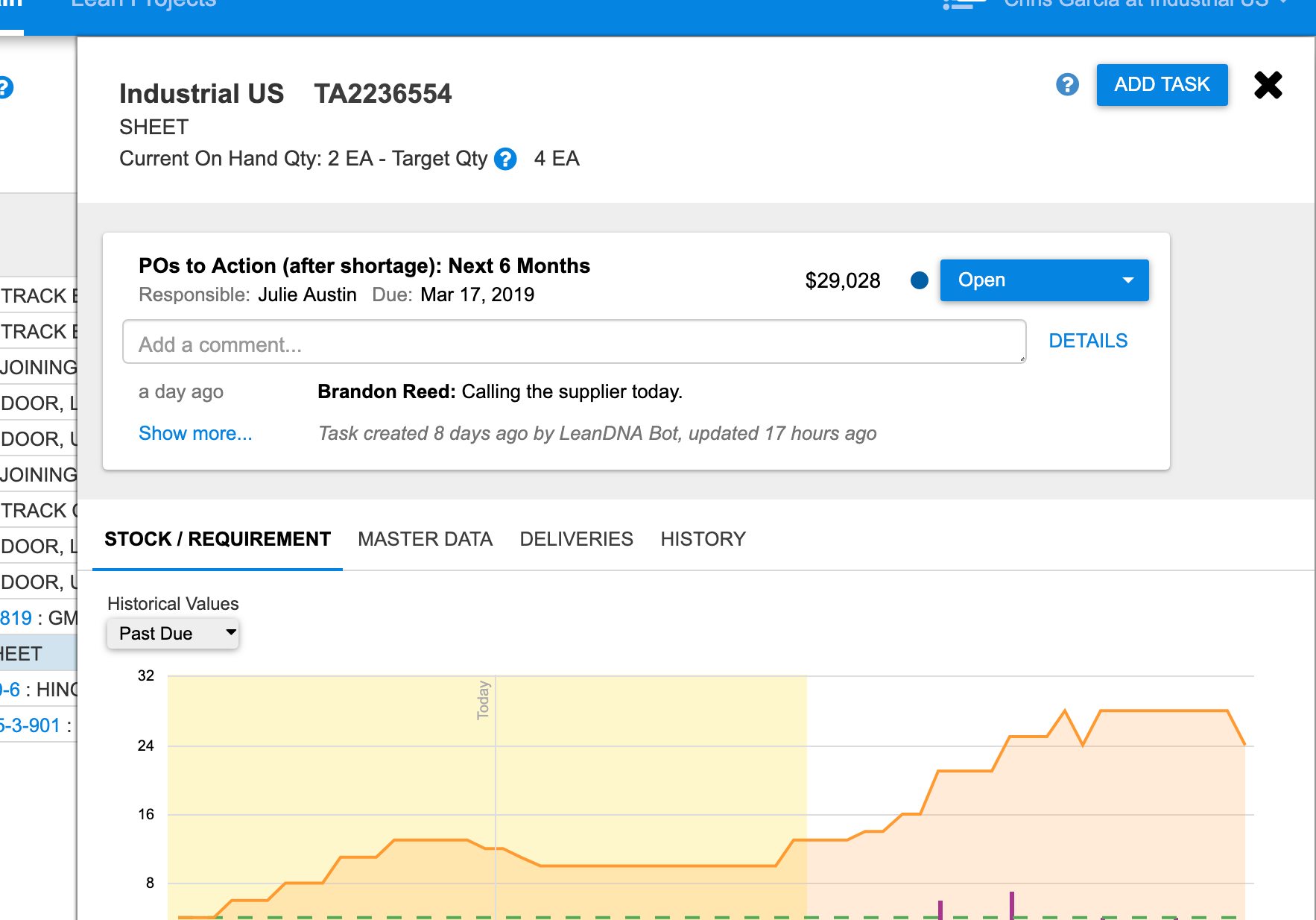
I made the Inventory Action visible anywhere Buyers could see the part. Now they didn’t have to navigate if they were looking at a part with a savings opportunity.
I removed the green savings value from the item detail view. The Inventory Actions savings amount was visible everywhere and there was no need to display conflicting amounts.
I added a human-readable description to help Buyers understand why we thought there was an inventory reduction opportunity, how we calculated savings, and what they could do to save money.
New Detail of updated Inventory Action design, which added a description of the opportunity and Unable to Fix control directly to the item detail panel, making Inventory Actions available anywhere Buyers viewed the part.
Validating the new design would be challenging. Coming from Indeed, I was used to A/B testing on large audiences and getting insightful data in days – sometimes hours. Enterprise applications like LeanDNA, with incredibly low volumes of diverse users, makes this type of validation inappropriate.
To validate the design, I suggested new customers should be given the new UI while existing customers would continue to see the current design. This would allow us to get usage data without disturbing customers who depended on our current UI.
However, after weeks of evaluation, there was no data that indicated the new UI was performing better than the current one.
While the changes addressed several issues with the feature, it didn’t produce the results we were seeking.
Solution
A better understanding of customer behavior led to an improved design.
A collaborative way to address opportunities
As I learned more about our customers, it became clear Buyers often couldn’t address inventory reduction opportunities alone, frequently working with other members of the manufacturing team in a process that could take days or even weeks to resolve.
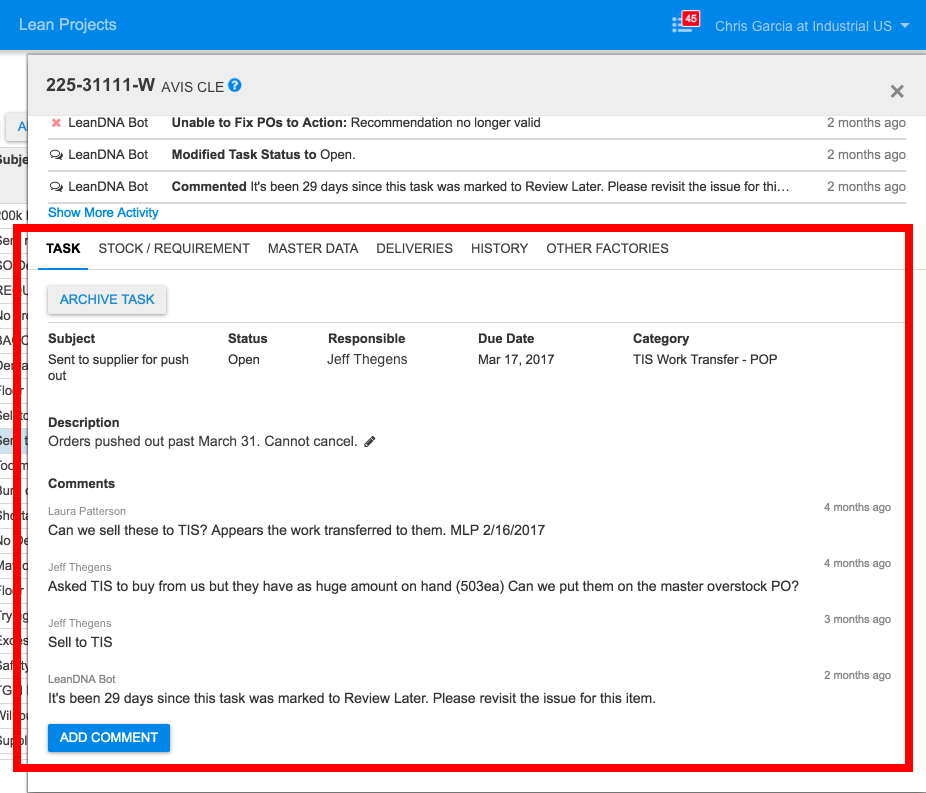
To facilitate collaboration, many of them were creating Tasks, another feature the product offered that allowed users to add comments, assign work to another user, set due dates, and change statuses:
Detail of part with Task panel displayed. Buyers would often create Tasks when parts had Inventory Actions to have conversations and track status.
I thought: instead of the application automatically creating Inventory Actions, then Buyers manually creating Tasks to track progress, what if the application automatically created a Task that had all the Inventory Action information? What if an Inventory Action was just a Task the application automatically made?
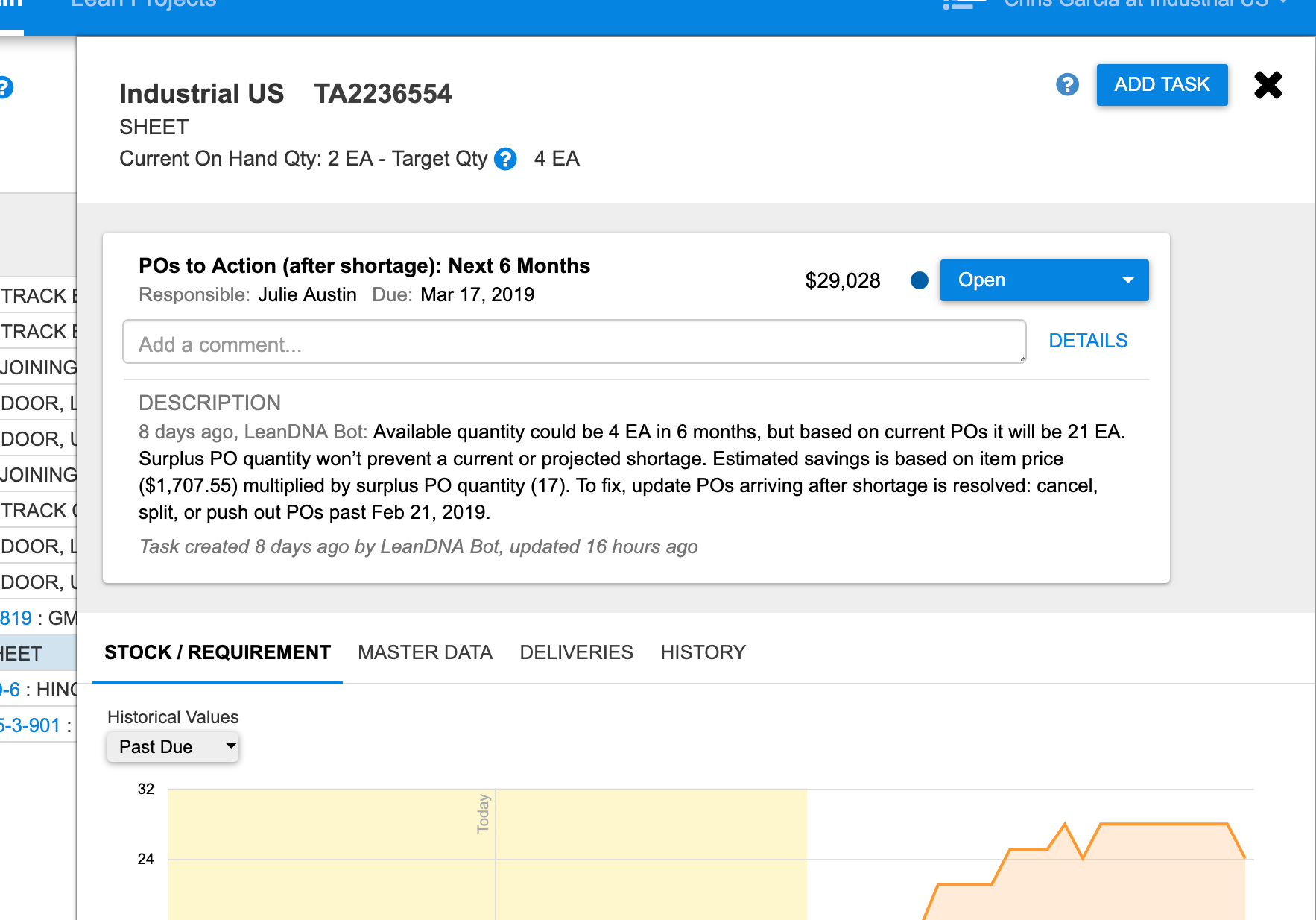
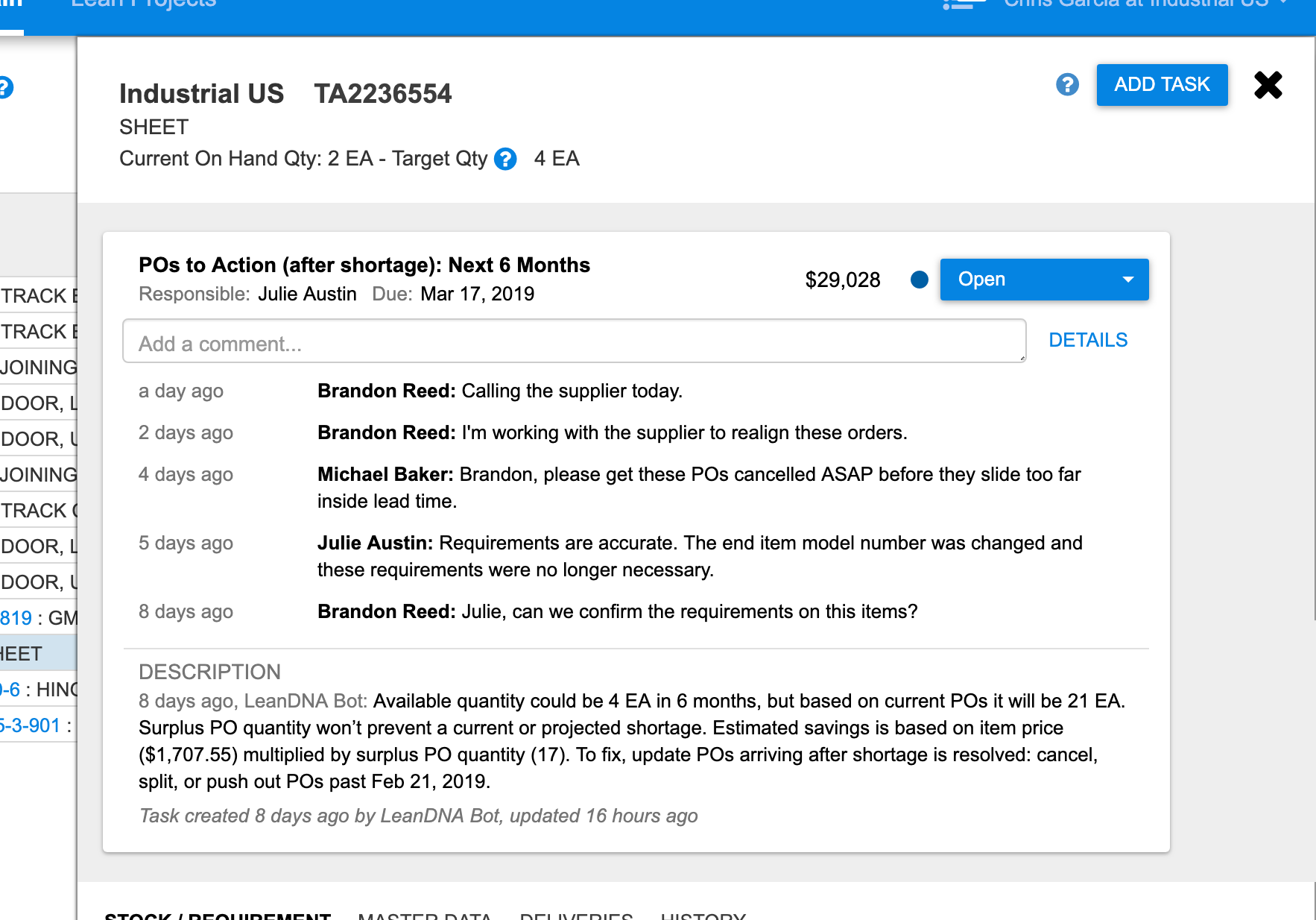
I created a design that made Tasks and Inventory Actions similar, a sticky-note like card displayed at the top of an item detail page:
New Detail of improved design based on user feedback. Tasks are displayed as cards at the top of the part details panel, increasing visibility and providing the ability to comment, reassign, add due dates, and update the status of the task. Inventory Actions are just Tasks the application automatically creates on behalf of users.New The Task card would display the most recent comment, focusing users on the latest updates.New Clicking “Show more...” expanded the comment history to show older comments, providing more context about who’s participating and when things have happened.
Making Inventory Actions and Tasks similar had several benefits:
It increased the visibility of Tasks and Inventory Actions, which would likely increase engagement with both features.
Conceptually, the product was simpler. Instead of two distinct features with different UIs and behavior, everything is a Task. Inventory Actions are just Tasks the system automatically generates for users.
The new design promoted code reuse. Inventory Actions received useful functionality like assignment, due date, comments, and history “for free.” Improvements to Task functionality improved Inventory Actions, too.
Significant back-end changes were required to support the new design, and I worked closely with Engineering and company leadership to ensure the scope of work was understood, requirements were thoroughly documented, and most importantly, we were all aligned on the new direction for collaboration in the product.
Reporting opportunity and progress
While much of the initial effort had been around improving the UX of individual Inventory Actions, it would be insufficient if Buyers weren’t motivated to address these opportunities. Other changes were required to increase awareness of these opportunities and ensure they were getting worked on.
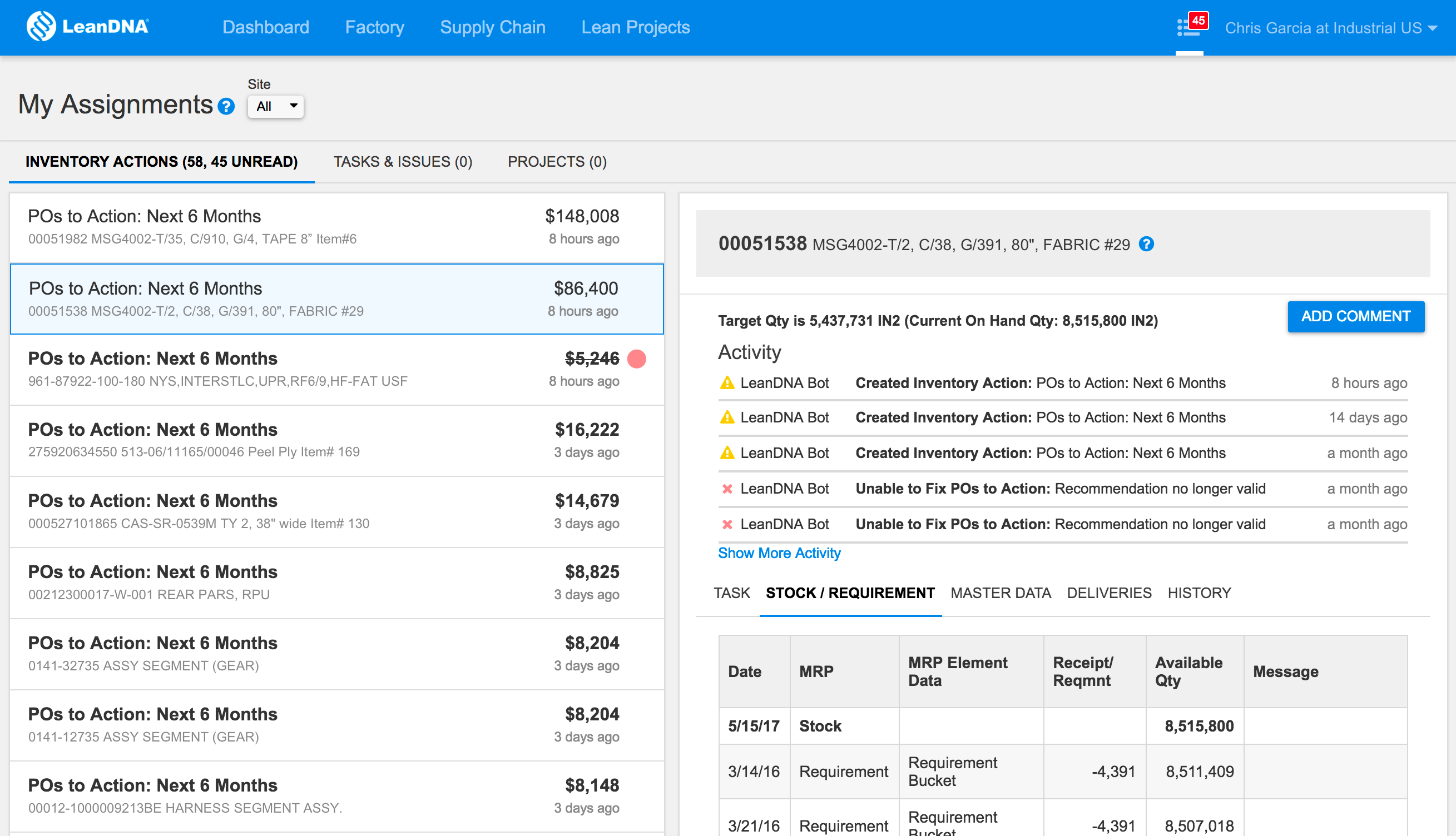
Buyers viewed a list of Inventory Actions by navigating to the “My Assignments” page, but this page only displayed Inventory Actions assigned to them, there was no way to see all the opportunities available for a particular customer:
My Assignments displayed a list of Inventory Actions for an individual Buyer
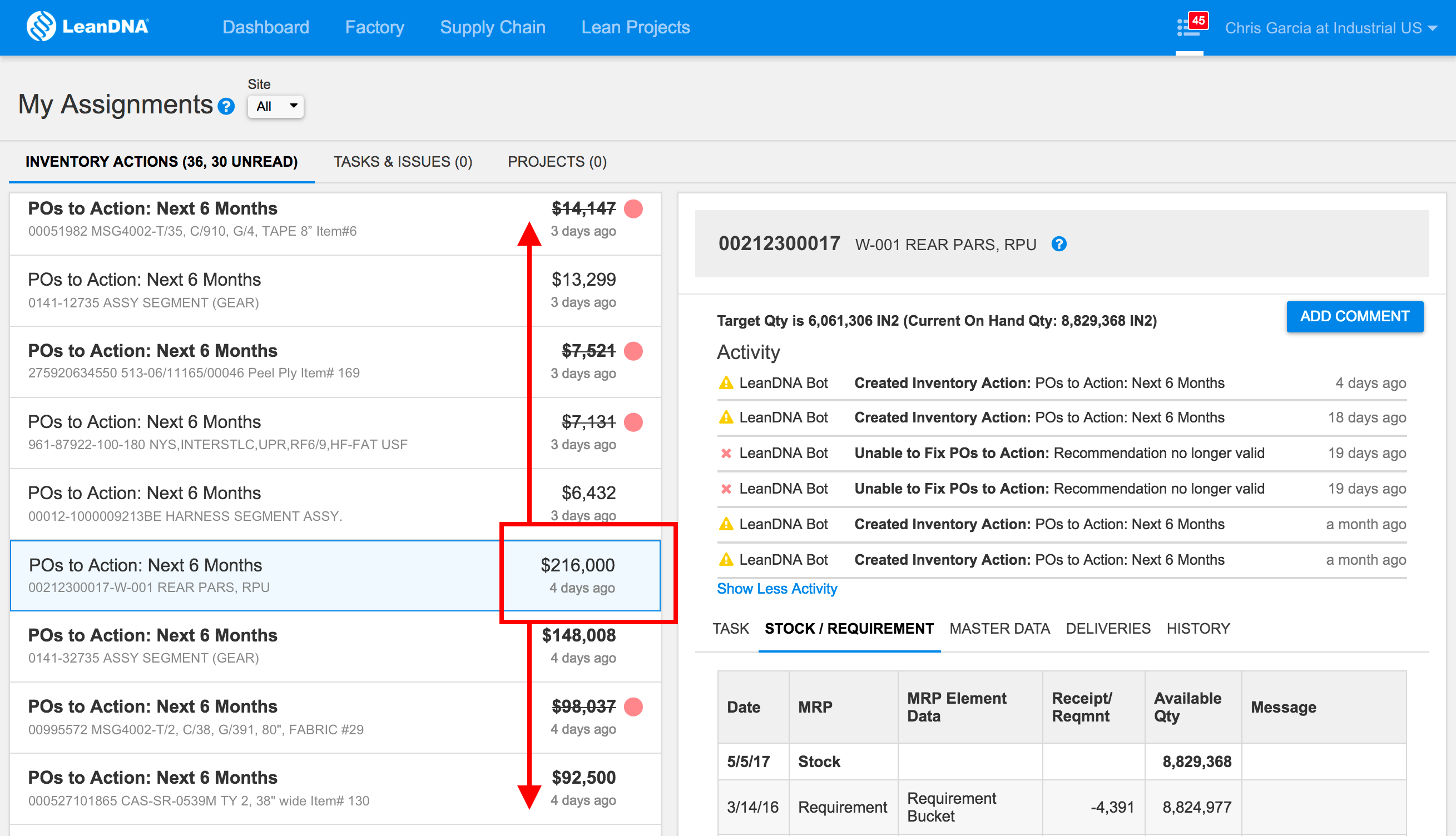
Additionally, Inventory Actions were ordered by creation date, not savings amount. High-value opportunities could be anywhere in the list even though they were the highest priority items to address:
Inventory Actions were ordered by creation date. High-value opportunities would get pushed down the list by newer, lower value opportunities.
To increase accountability, Inventory Actions needed to be visibile to more people on the manufacturing team, especially Managers, who could direct teams of Buyers to address inventory reduction opportunities and ensure progress was being made. To increase effectiveness, Buyers should be directed to the highest value opportunities, not the newest.
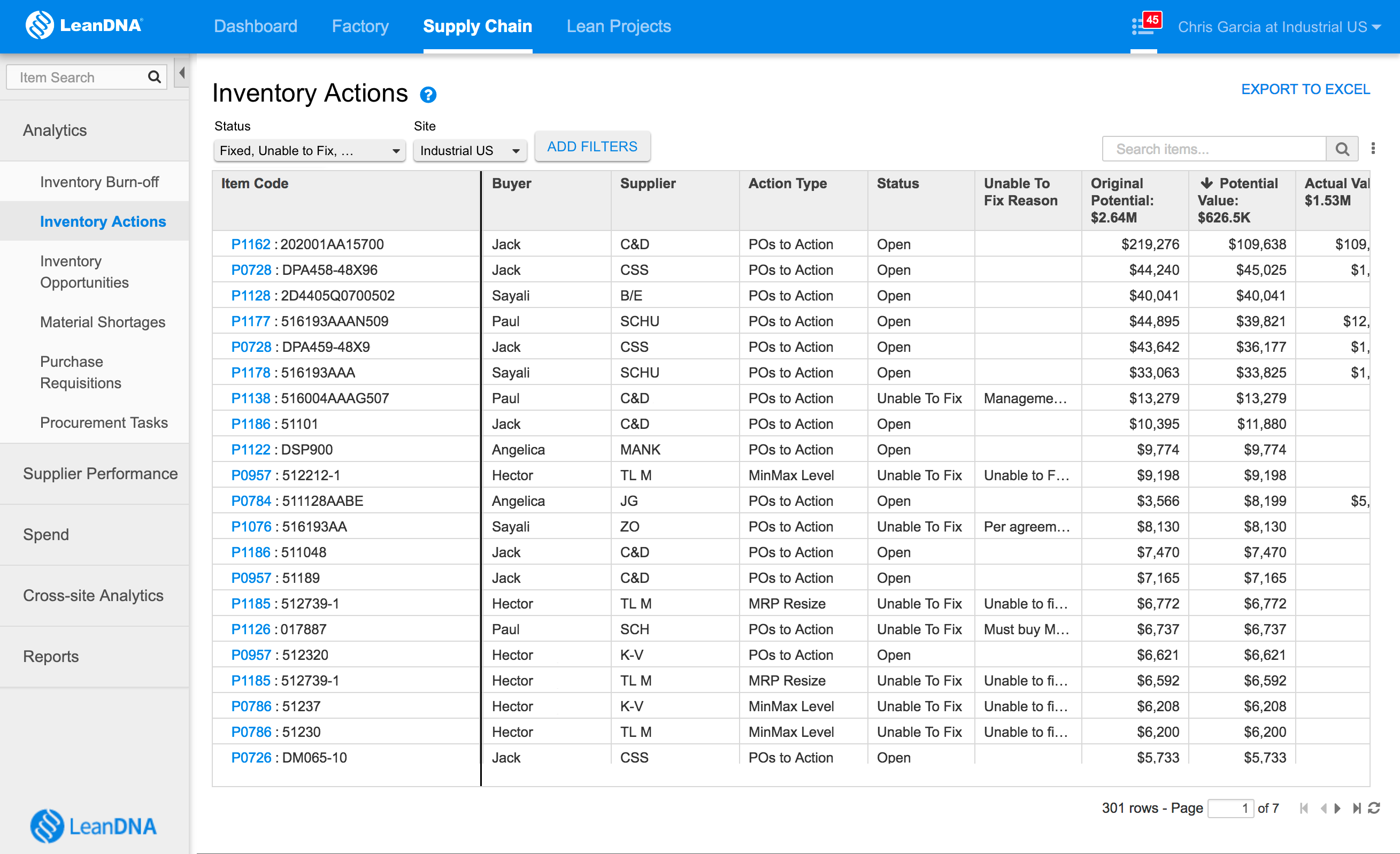
The Inventory Action report was created to give LeanDNA customers access to all Inventory Actions. Filtering that allowed reports for specific manufacturing sites, individual buyers, and provided detailed savings reporting to understand how much was saved. The report was default sorted by potential savings to ensure the highest-value opportunities were presented first.
New The Inventory Action Report provided a comprehensive list of saving opportunities and the ability to filter and sort them.
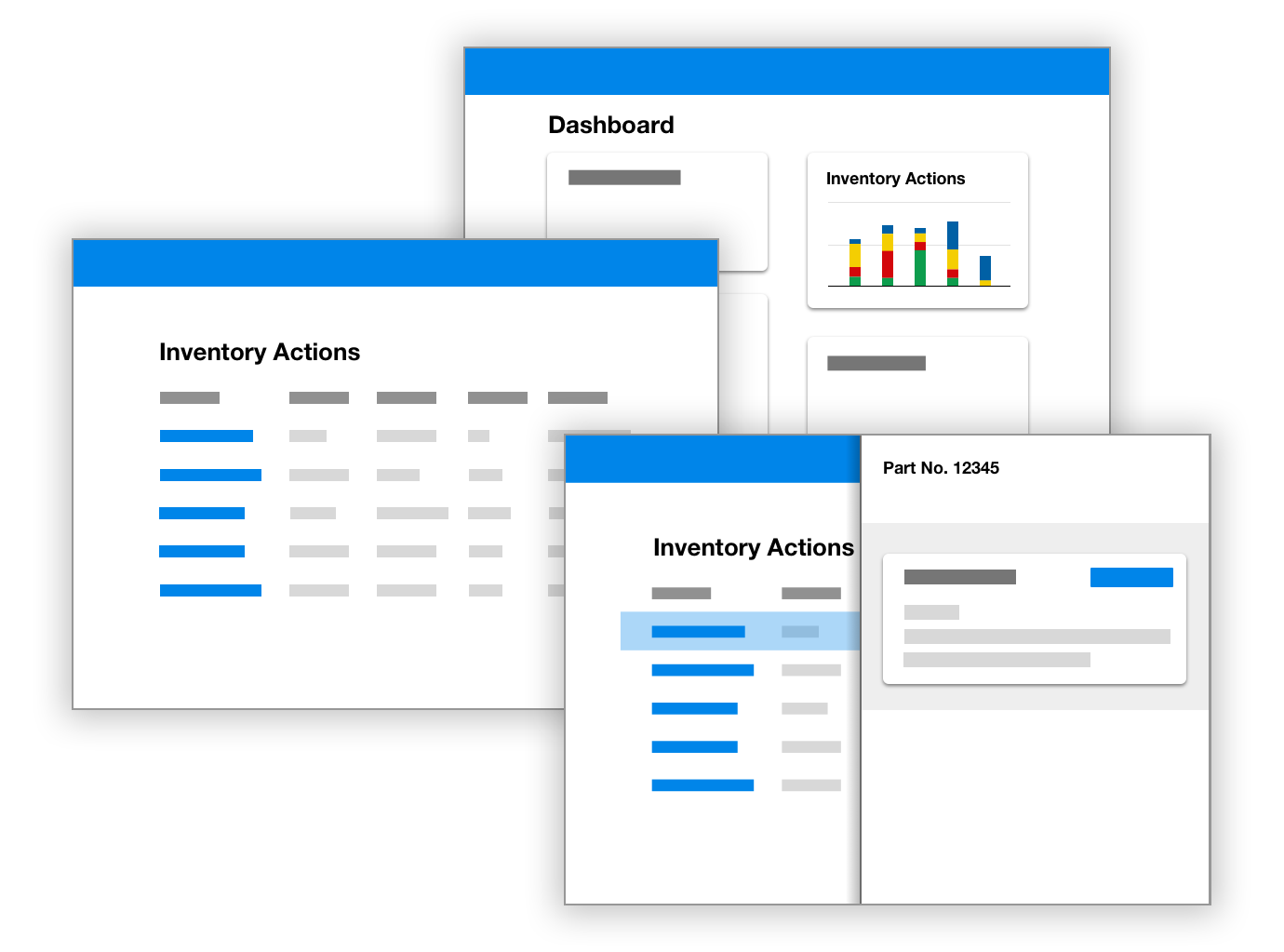
Finally, to increase awareness, a dashboard widget was updated to help users understand the value and status of inventory reduction opportunities over time, and direct them to the new Inventory Action report.
The Inventory Action Dashboard widget displayed progress over time and directed users to the Inventory Actions report, where users could view individual Inventory Actions.
With all these changes added to the product, users were provided with a comprehensive end-to-end workflow to identify inventory reduction opportunities, collaborate to address them, and report progress.
Results
In addition to the numerous product changes, I changed how the design was validated. Instead of testing on new customers, I worked with LeanDNA’s Customer Success team to identify two large customers that were representative of our ideal customers and willing to collaborate directly with us.
After a successful multi-week trial and reviewing customer feedback, I recommended the new Inventory Action UX get rolled-out to all customers. (Other inventory workflow changes, like Reporting and Dashboard updates, were adopted independently.)
Engagement with the new Inventory Actions UX demonstrated the desire to collaborate within and between manufacturing sites in an organization:
40% of all comments came from Inventory Actions
35% of Inventory Actions were reassigned
The most significant validation of the new design came later that year, when one of LeanDNAs’ largest customers used our product as part of a long-term inventory reduction effort and addressed over $16 million dollars in opportunities we identified. These results would not have been possible without the improvements to the entire inventory reduction workflow.
The design changes increased collaboration, effectiveness, and defined measurements that indicated customers were having success addressing inventory reduction opportunities.
Summary
Over my time at LeanDNA, I learned enough about customer behavior to identify the assumptions that were baked-into the product that didn’t meet their needs, like focusing on individuals and not collaboration.
Additionally, I identified metrics that would indicate our customers were getting value out of our product, or conversely, needed attention:
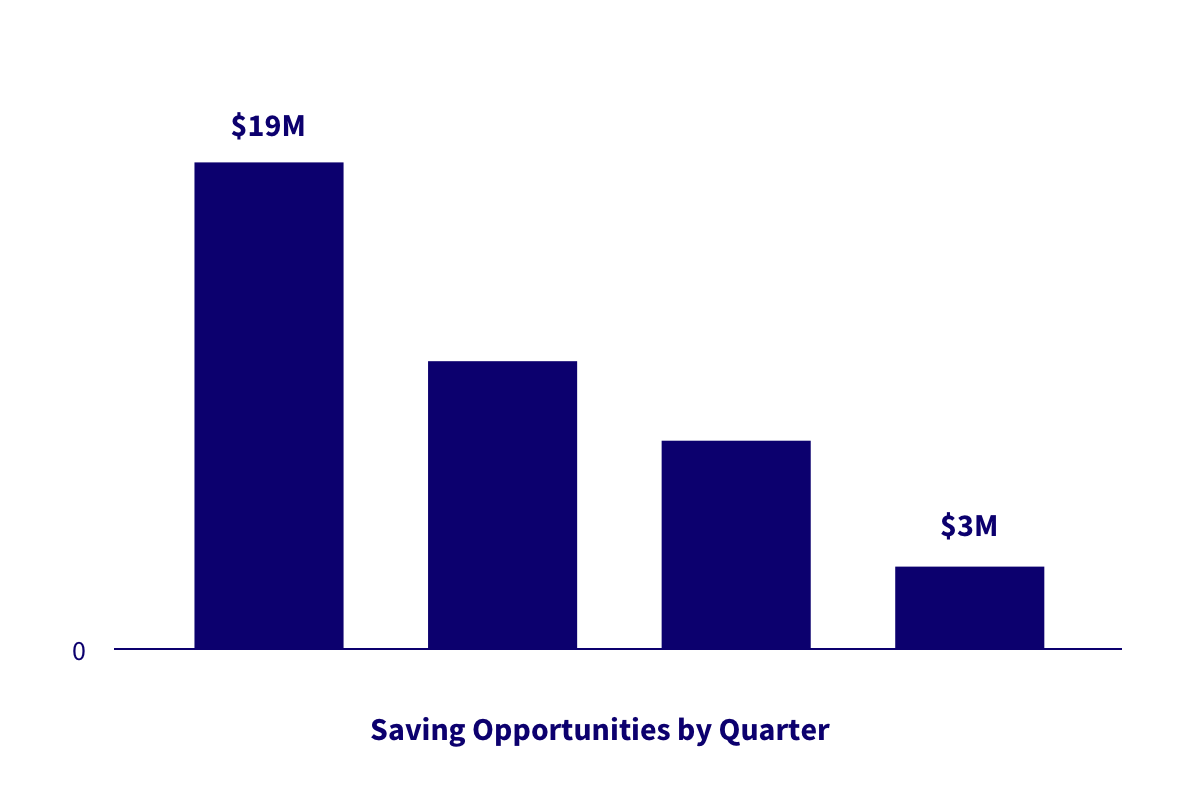
Over time, successful LeanDNA customers should decrease the value of saving opportunities.
Initially I thought increasing amounts of savings would indicate the product was delivering on its promise. After better understanding customers and our product, I realized a decreasing amount of saving opportunities is a signal of success – when LeanDNA can’t find inventory reduction opportunities it means our customers are managing their inventory optimally.